Don’t Let Your Memories Fade: How to Organize Family Photos (Without Losing Your Mind)
When was the last time you actually found the photo you were looking for? Maybe it was that perfect shot from last summer’s family reunion, or the newborn photo you wanted to share on your little one’s birthday. If you’re like most moms, your family’s memories are scattered across your phone, an old laptop, three different cloud accounts, and a shoebox somewhere in the back of a closet.

Here’s the good news: it doesn’t have to stay that way. With a simple system — and about twenty minutes a month once you’re set up — you can turn that photo chaos into an organized collection your family will treasure for generations. This guide walks you through exactly how to organize family photos, both digital and printed, in a way that busy moms can actually keep up with.
Before You Begin: Start With a Plan (Not a Panic)
Before you open a single folder or dusty photo box, take five minutes to picture your end goal. Do you want yearly photo books for the coffee table? A searchable digital library? Old prints safely digitized before they fade any further?
You don’t need to do everything at once — and you shouldn’t try. Pick one clear objective to start with. Having that focus is what keeps this from becoming another abandoned project on the to-do list.
Grab your free
Chore Chart printable
Turn everyday jobs into a star-earning game the kids actually want to do. Pop your email in and it lands straight in your inbox, plus weekly home-organisation tips for busy moms.
No spam, ever. Unsubscribe anytime.
Mom-friendly tip: Choose a goal you can finish in a weekend, like organizing just last year’s photos. Momentum matters more than perfection.
Taming the Digital Jungle
Most of our photos now live on our phones, multiplying by the hundreds with every birthday party, day trip, and “quick” photo session that turned into forty near-identical shots. The secret to managing this digital abundance is a system that’s logical enough to make sense and simple enough to maintain one-handed while holding a toddler.

Build a folder structure that thinks like you do. Organize by year, then month, then event. For example: 2026 > March > Spring Break. That’s it. Resist the urge to create dozens of sub-categories — the simpler the structure, the more likely you’ll stick with it.
Name your files consistently. A naming convention like 2026-03-15_SpringBreak_001 feels a bit formal, but future-you will be grateful when you can find any photo in seconds instead of scrolling through 8,000 thumbnails.
Do a ruthless first pass. Before organizing, delete the obvious duplicates, blurry shots, and the seventeen accidental photos of the floor. You’re not deleting memories — you’re making the real ones easier to find.
Breathing New Life into Old Prints
Printed photos hold a charm digital ones never quite match — but they’re also fragile. Humidity, sunlight, and time are quietly working against every photo in that shoebox.
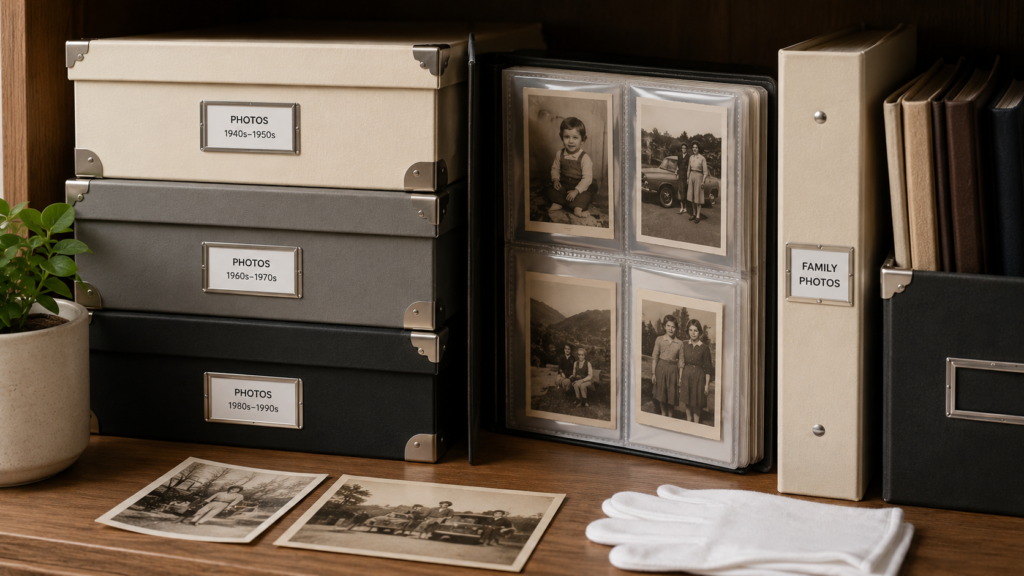
Start by sorting prints chronologically if you can, or group them by decade, family member, or event when dates are a mystery. Then invest in proper storage: acid-free photo boxes and archival albums with clear sleeves. They cost a little more than a basic box, but they’re the difference between photos that last generations and photos that yellow and stick together.
If a print is precious, digitize it. A basic photo scanner or even a scanning app on your phone gives you a backup copy — and lets you share Grandma’s wedding photo in the family group chat without ever removing the original from its sleeve.
The Digital Safety Net: Protecting Your Memories
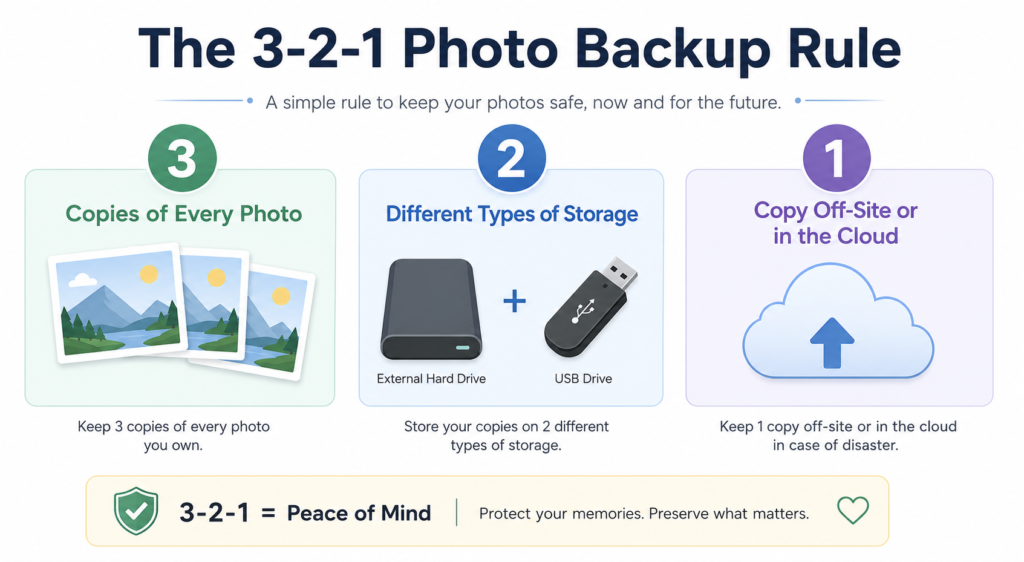
Your photo collection is a family treasure — so protect it like one. Follow the 3-2-1 backup rule:
- 3 copies of every photo
- 2 different types of storage (for example, your computer plus an external hard drive)
- 1 copy off-site or in the cloud
For printed photos, digitizing them is your backup. Store the originals somewhere climate-controlled, away from direct sunlight, damp basements, and hot attics.
This is the one step people skip — and the one they regret most. A dropped phone or a failed hard drive shouldn’t be able to erase your baby’s first year.
Adding Context: The Stories Behind the Smiles
Every photo tells a story, but stories fade faster than photos do. Take a moment to record the who, what, where, and when — in file names, album captions, or a note tucked into a physical album.
Twenty years from now, “2024-06_BeachDay” plus a line like “the day Ellie finally braved the waves” transforms an ordinary photo into a family heirloom. Your kids won’t just see faces; they’ll know the stories.
Making Memories Accessible: Sharing the Joy
Organization isn’t really about storage — it’s about connection. Once your photos are sorted, put them to work:

- Shared digital albums so grandparents see new photos without you having to send them individually
- Yearly photo books — one hour of effort, decades of coffee-table joy
- Digital photo frames that rotate through your favourites automatically
- Family viewing sessions where older generations narrate the old albums for the kids
These moments are the entire point of doing the organizing in the first place.
Keeping the System Alive: The 20-Minute Monthly Habit
Photo organization isn’t a one-time project — it’s a small habit. Once a month (pair it with something you already do, like paying bills or your Sunday reset), spend twenty minutes to:
- Import and sort the month’s new photos into your folders
- Delete duplicates and misfires
- Run your backup
- Share the best shots with family
Twenty minutes a month is far easier than facing five years of accumulated chaos later. Your future self will thank you.
Your Legacy in Pictures: Start Today
Remember: this isn’t about perfection. It’s about preserving and sharing your family’s unique story. Start small — last year’s holiday photos, or that one shoebox in the closet. Each organized photo is a gift to your future self and your family.
The most valuable photos are the ones you can actually find and enjoy. So open that cluttered camera roll, pick up that shoebox, and take the first step. Your family’s memories are waiting to be rediscovered — and cherished all over again.